Cancel a Migration Request
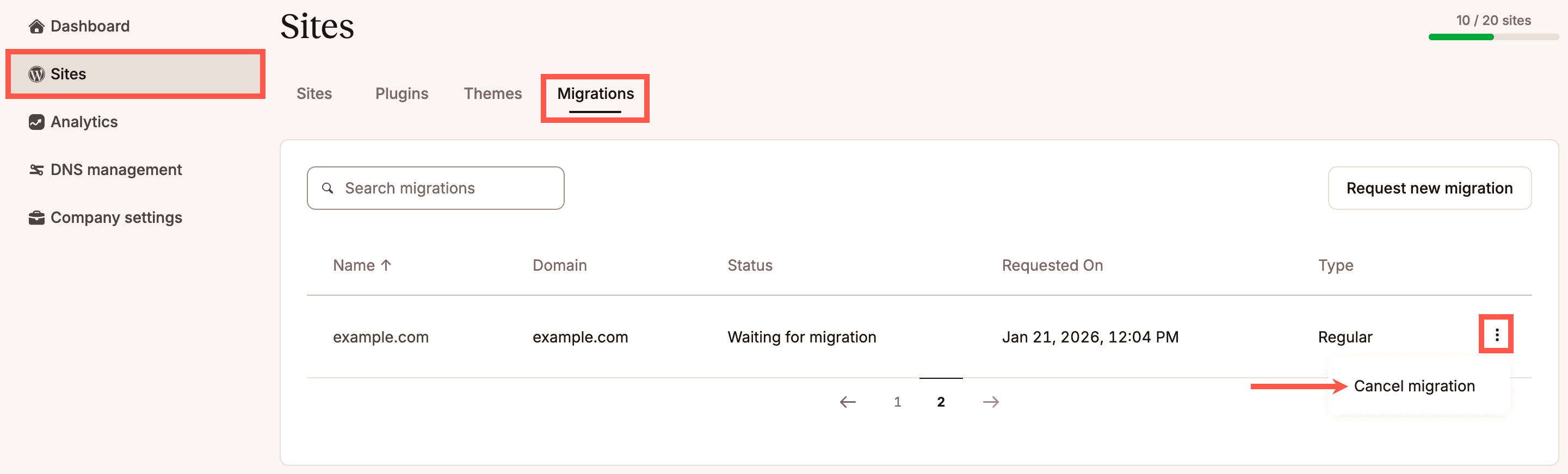
If you need to cancel a migration before it starts, you can do so from the Sites page in MyKinsta. Log in to MyKinsta, navigate to Sites > Migrations, click on the kebab (three-dot) menu, and select Cancel migration. You cannot cancel a migration once it is in progress. If you need to do so, contact our Support Team.
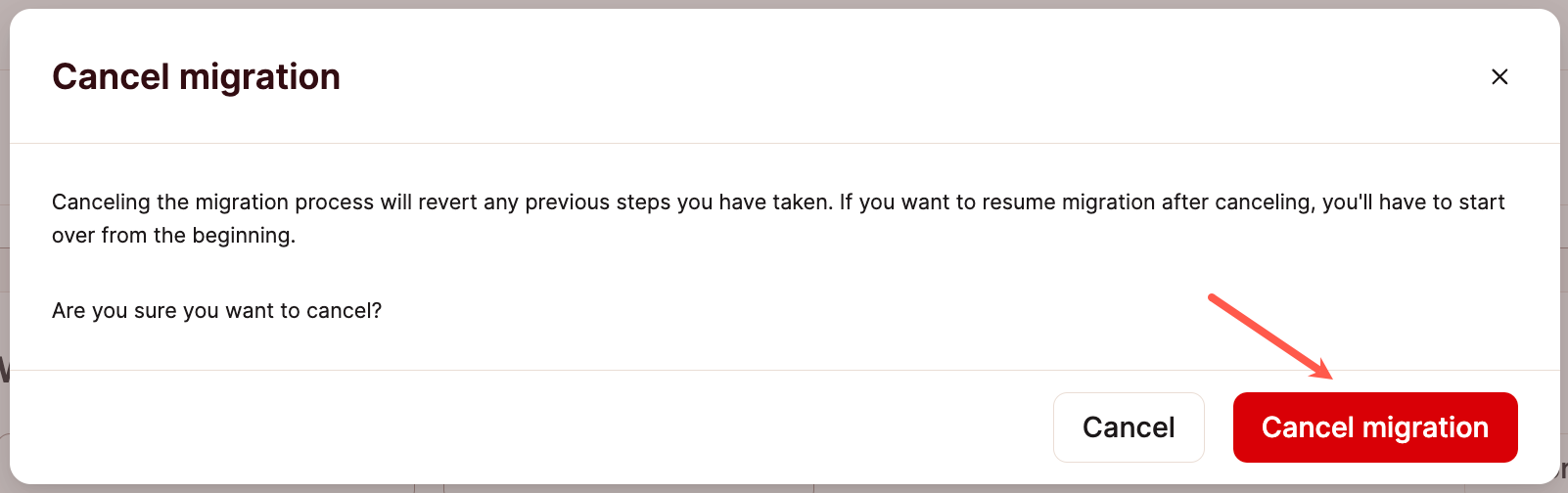
In the modal/pop-up that appears, click Cancel migration to acknowledge that canceling this migration will revert any previous steps. If you want to resume the migration after canceling, you’ll need to start a new migration request from the beginning.
A notification will appear in the upper right corner, letting you know the migration has been canceled. The canceled migration will no longer be shown in the Migrations section of the Sites page.